SunoBeat Logo

Save Suno AI Songs
to High-Quality MP3 with 1-Click

SunoBeat - Global Edition v3.1.0 Released! The desktop app now includes a PySide6-based UI, dark theme toggle, download history, Excel export, song title display, artist links, and a URL clear button.

This software is not an official Suno product.
Please use this product strictly for personal use with your individual tracks only.
🚀 Buy License Key View Details ↓
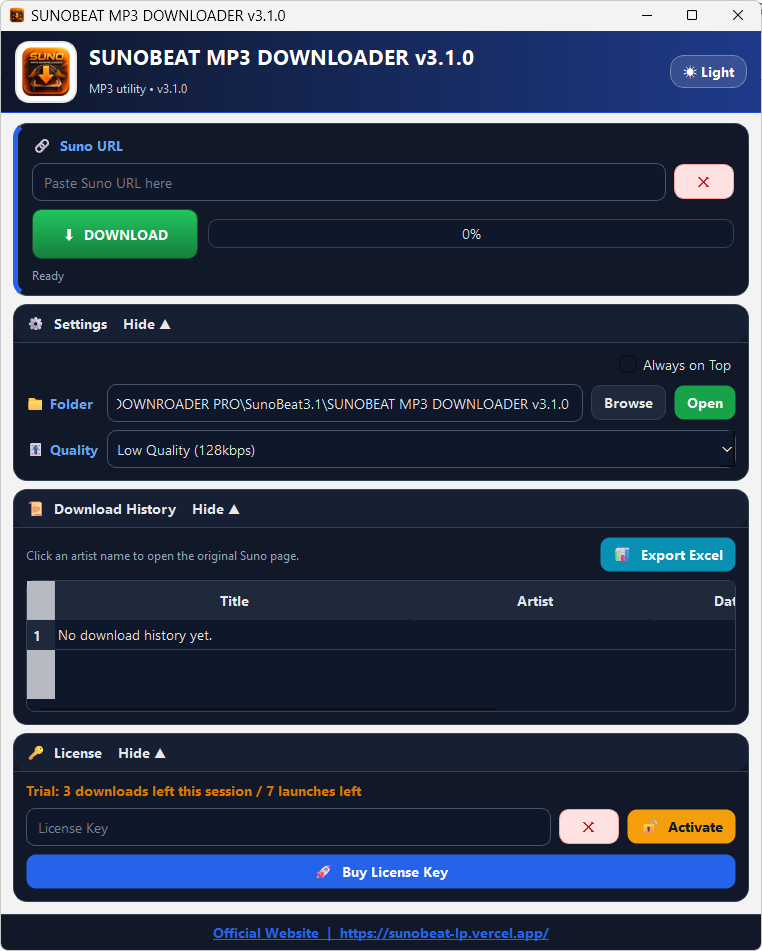
SunoBeat MP3 Downloader v3.1.0 Interface

Feature Comparison

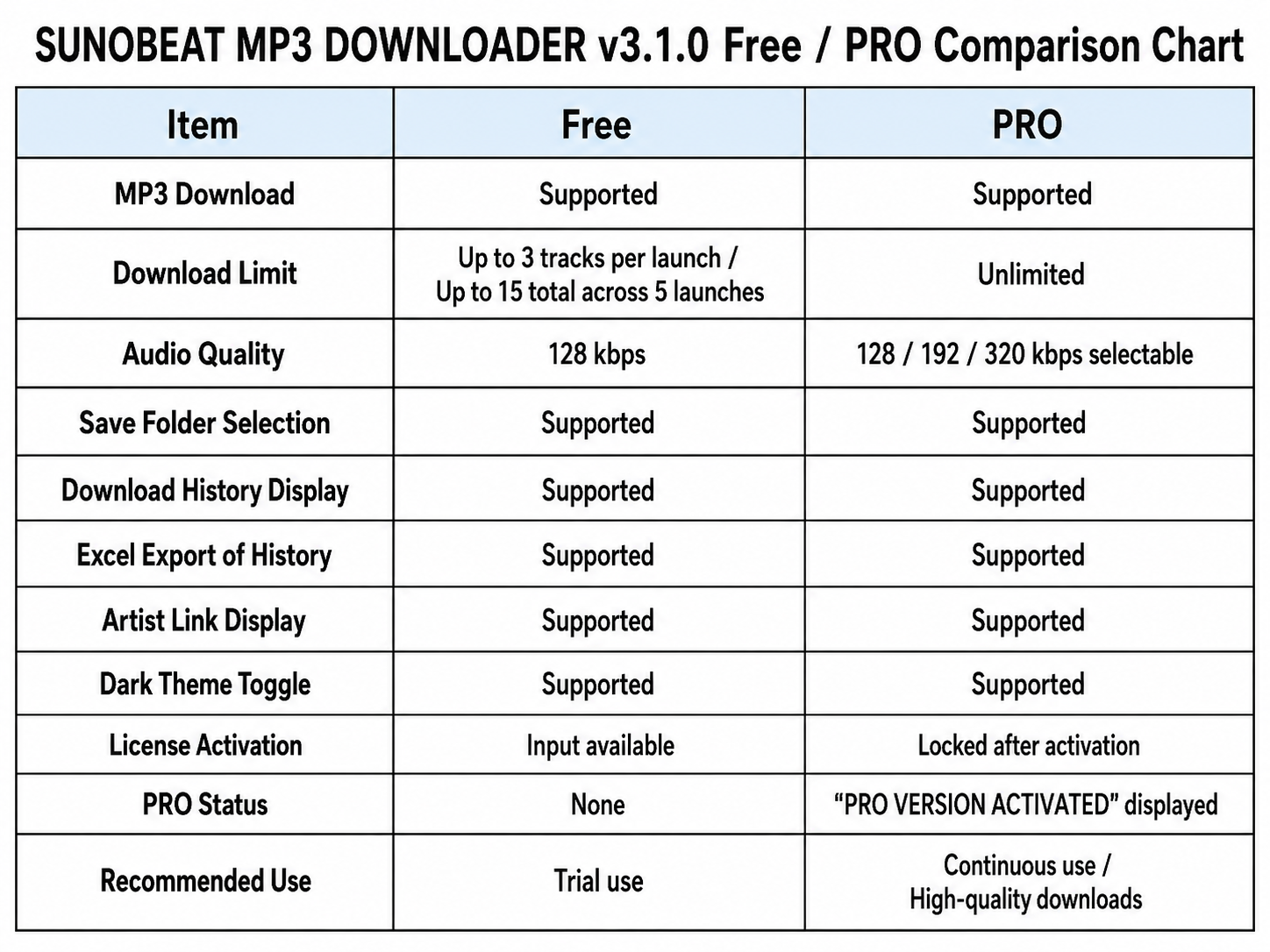
Compare the Free Trial and PRO Version features before upgrading.

SunoBeat Free Trial and PRO Version comparison table

Key Features (Ver 3.1.0 New Features)

PRO Unlocks 320kbps High Quality

The free version is restricted to low-quality 128kbps. Upgrading to PRO unlocks standard 192kbps and high-quality 320kbps with automatic configuration sync.
PySide6 UI with Dark Theme

The interface has been refreshed with a PySide6-based UI and a dark theme toggle.

Download History and Excel Export

The app now displays download history and can export that history to Excel.

Song Details and URL Clear Button

Downloaded song titles and artist names can be displayed, artist names can appear as links, and the URL input field now has a clear button.

Easy 3-Step Download

1

Paste Suno URL

Copy & paste the Suno track page URL (supports context menu, fully protected against URL bugs)

2

Configure Settings

Select your save directory (Browse) and desired MP3 quality. The application remembers your state automatically.

3

Start Download

Click 'Start Download' to execute safe, high-speed MP3 extraction via the integrated yt-dlp engine.

Version History

■Ver 3.1.0 (Latest Update) 2026/07/03
  • Revamped the UI to be based on PySide6.
  • Added a dark theme toggle.
  • Added a download history display.
  • Added a feature to export download history to Excel.
  • Added support for displaying downloaded song titles and artist names.
  • Added support for displaying artist names as links.
  • Added a clear button to the URL input field.
■Ver 2.1 2026/06/11
  • Added "Official Homepage" Linkage Function
  • Completely fixed a critical bug where web links (payment page, official homepage) were silently ignored and wouldn't open.
  • Improved backend stability
■Ver 2.0
  • Full support for the latest Suno AI specification changes (bug guard processing)
  • PRO version: Unlocked the highest sound quality "320kbps"
  • Added a new "📂 Open Folder" button
  • Automatic global multilingual UI detection
  • UI/UX refinement
■Ver 1.0 (Initial Release)
  • Implemented the core engine for the one-click MP3 download function of Suno AI music (yt-dlp integration).
  • Building a robust license activation system that communicates in real time with the Gumroad official API and completely blocks spoofed dummy keys.
  • Implemented a control module for session limits (up to 3 songs per launch) and cumulative launch limits (up to 5 times) in the free trial version.

Plans & Trial Limits

🆓 Free Trial (Default Startup State)

Trial (This session: 3 tracks left / Max 5 launches)

For security, the application always starts as a blank Free Trial upon launch.

  • Quality Restriction: Forced to Low Quality (128kbps)
  • Session Limit: Up to 3 downloads per launch (requires app restart once exceeded)
  • Launch Limit: Maximum of 5 launches allowed (3 tracks per session, up to 15 tracks total for free)
  • Strict Real-Time Verification via Gumroad Official API (Fake/dummy keys are 100% blocked)

🔓 PRO Version (Unlimited)

  • Full Audio Release: Unlocks 192kbps and Crystal Clear 320kbps High Quality
  • Enter your purchased license key and click 'Activate' to upgrade instantly to PRO Version
  • Completely removes all session limits and cumulative download count restrictions
  • Standalone Windows .exe (PyInstaller single-file build, supports 'Always on Top' toggle)
🚀 Buy License Key

Bring Your Favorite Suno Tracks
Into Your Collection.

Safe local storage. High fidelity. Ver 3.1.0 with the latest UI and history features applied.

🚀 Buy License Key